 Sprig
Review a change
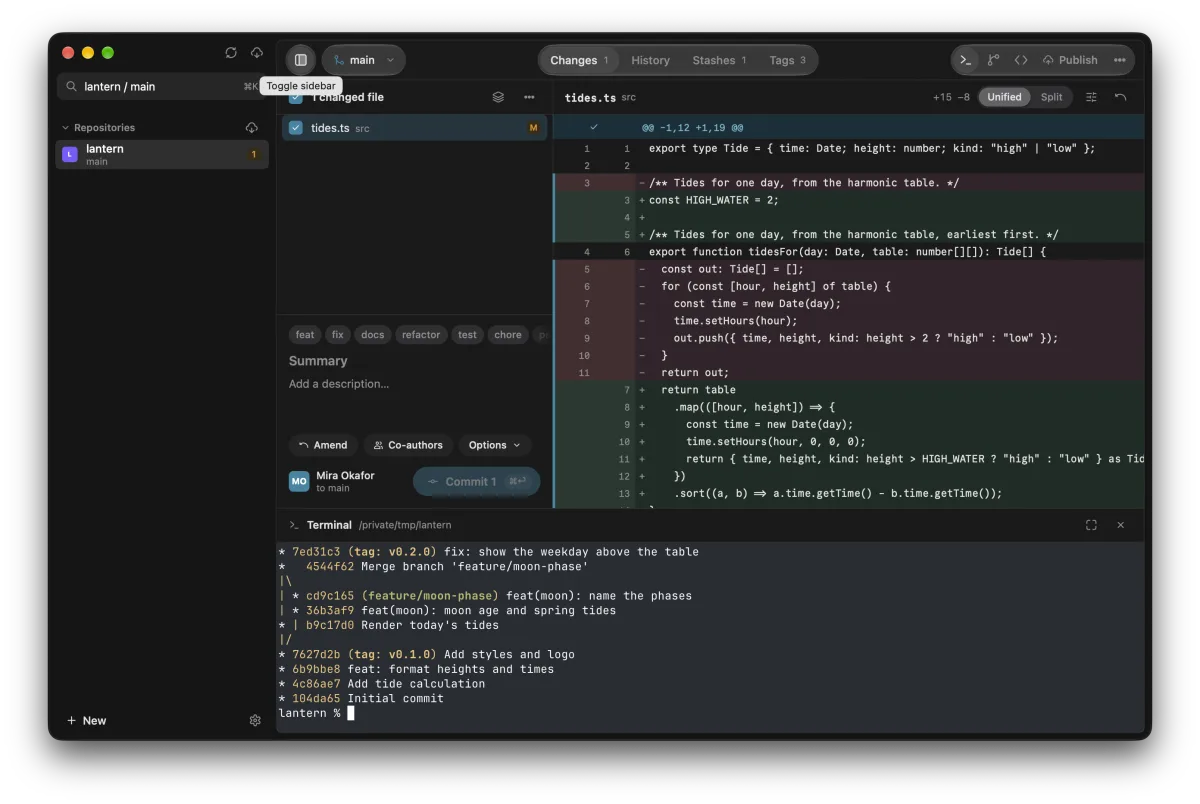
Read it unified or side by side, with the changed words marked. Select lines in the gutter to commit part of a file. Discarded changes go to the Trash, so you can take them back.

Free for 30 days, no account or card. For macOS, Windows and Linux.

Read it unified or side by side, with the changed words marked. Select lines in the gutter to commit part of a file. Discarded changes go to the Trash, so you can take them back.
Every branch, remote and tag on one graph, each in its own colour. Search by message, author or SHA, or select a range to read its combined diff.
Amend, reword, squash, reorder and cherry-pick from the list.
Press ⌘B and type to switch, create, merge or rebase. Each branch shows how far it is ahead of or behind its remote, and a merge shows its conflicts before you start.
Your uncommitted work comes with you or waits in a stash.
When there's no button for it, the terminal under the diff is already in your repository. Each repository keeps its own shell while you switch.
On a repository over SSH, it opens on that machine.
Press ⌘K to find a repository, a branch or any action by name. The same actions are in the menus, with the shortcuts you'd expect on your system.



Pick a commit from one lane and put it on another. Sprig shows what a merge will do before it does it.
One button publishes, pulls, pushes or fetches, whichever comes next.
Tag a commit and write its GitHub release, with notes in Markdown.
See CI status, check one out (forks too), or open one from your branch.
Untracked files included. When you return to a branch, Sprig offers its stash back.
Give a repository a colour and the sidebar takes its tint, so you know where you are.
Work on a repository on another machine over SSH, with your own keys.
Check out a second branch in its own folder and open it beside the first.
Sign in with your browser and keep several accounts. Tokens stay in your system's keychain.
Sprig installs signed updates when you say so.
Once, for 2 computers, with a year of updates. Sprig keeps working after the year.
Launch pricing: the first 100 licenses are $9, the next 250 are $18, then $27. Payment, tax and receipts by Polar.
Use all of Sprig for 30 days without an account or card. After that it asks for a license key. Your repositories are plain Git, so they're untouched either way.
Sprig keeps working on the last version released in your year. Later versions need a new license; you never need one to keep what you have.
Yes, to any Mac, Windows or Linux computer. Deactivate it in Sprig's License window on one, then activate it on the other.
Write to support@atelierpatel.com from the address you bought with. Refunds go back through Polar to how you paid.
Besides your Git remotes and any GitHub or Bitbucket account you add, only your license check to Polar and update checks to our downloads server. No analytics. Privacy policy
Yes. Sprig runs the Git on your computer, so your config and hooks apply as usual, with any remote over SSH or HTTPS. On a Mac without Git, macOS offers to install it.